How to Increase Typing Speed: Complete Guide to Improve WPM
You take a one-minute typing test and score 42 WPM. You try it again immediately, push your fingers harder, and somehow drop to 38 WPM.
On the third attempt, you reach 47 WPM—but your accuracy falls to 89%.
That frustrating pattern is common. Typing harder does not automatically mean typing faster. In many cases, the real problem is unnecessary finger movement, constantly looking at the keyboard, poor accuracy, or a practice routine that measures speed without actually improving it.
Learning how to increase typing speed is less about forcing your hands to move quickly and more about making each keystroke easier, cleaner, and more predictable.
The fastest improvement usually comes from fixing technique first. Once your fingers know where to go, speed begins to feel more natural.
This guide explains how to improve typing speed and accuracy through practical exercises, better finger placement, realistic testing, and a repeatable daily routine.
Quick Answer: How Can You Increase Typing Speed?
To increase your typing speed:
- Measure your current WPM and accuracy.
- Learn consistent finger placement.
- Practice typing without looking at the keyboard.
- Slow down until you reach at least 95% accuracy.
- Train your weakest letters and word combinations.
- Practice natural sentences, punctuation, and numbers.
- Complete short and long typing tests.
- Track weekly averages instead of one-time records.
- Maintain a relaxed, neutral typing posture.
- Practice for 10–15 focused minutes each day.
For most learners, consistency matters more than completing long and exhausting practice sessions.
What Does Typing Speed Mean?
Typing speed is normally measured in words per minute, or WPM.
A standard word is treated as five characters, including letters, spaces, numbers, and punctuation. If you type 250 characters in one minute, your raw speed is calculated as 50 WPM.
WPM = Total characters ÷ 5 ÷ Time in minutes
However, the largest number on the screen does not always represent your usable typing speed.
A typing test may show:
- Gross WPM
- Net WPM
- Accuracy percentage
- Total errors
- Correct characters
- Consistency
- Keystrokes per second
Gross WPM measures your speed before error deductions. Net WPM adjusts the result based on mistakes.
That distinction explains why someone can type at 65 gross WPM but finish with only 52 net WPM.
The eTypingTest typing speed test measures WPM, accuracy, errors, consistency, and keyboard activity. It also allows different test durations so you can compare burst speed with sustained performance.
Find Your Real Typing Speed Before Practicing
A single test is not a reliable baseline.
The passage may be unusually easy. You may already know some of the words. You might also perform poorly because your hands are cold or you are unfamiliar with the keyboard.
Use this process instead.
Step 1: Take Three One-Minute Tests
Complete three tests without repeatedly refreshing until you receive a score you like.
Record the WPM and accuracy from each attempt.
For example:
| Attempt | WPM | Accuracy |
|---|---|---|
| Test 1 | 41 | 96% |
| Test 2 | 44 | 94% |
| Test 3 | 42 | 97% |
Your practical baseline is approximately 42 WPM rather than the single highest score of 44 WPM.
Use the one-minute typing test for this initial measurement.
Step 2: Take a Five-Minute Test
A short test measures quick performance. A longer test shows whether you can maintain speed after the first minute.
Use the five-minute typing test and compare the result with your one-minute average.
A large drop may indicate:
- Weak typing endurance
- Rushing at the beginning
- Poor posture
- Inconsistent rhythm
- Accuracy problems
- Tension in the hands or shoulders
Step 3: Record Your Accuracy
Do not record only WPM.
A baseline such as “46 WPM at 97% accuracy” gives you far more useful information than simply writing “46 WPM.”
Improve Typing Speed and Accuracy Together
One of the biggest mistakes beginners make is treating speed and accuracy as separate skills.
They are connected.
Every typing error creates extra work. You notice the mistake, move a finger to Backspace, correct the word, and then rebuild your rhythm.
Someone typing 60 WPM with 88% accuracy may complete real work more slowly than someone typing 50 WPM with 98% accuracy.
Use these accuracy targets:
| Skill level | Useful accuracy target |
|---|---|
| New beginner | 90% or higher |
| Developing typist | 95% or higher |
| Job preparation | 97% or higher |
| Advanced practice | 98–99% |
During accuracy practice, deliberately type slightly below your maximum speed.
Suppose your normal result is 48 WPM at 92% accuracy. Reduce your pace to around 40–42 WPM and try to stay above 97%.
Once that cleaner pace becomes comfortable, gradually increase your speed.
Read why typing accuracy matters more than speed for a deeper explanation of error control and net WPM.
Learn Touch Typing Without Looking at the Keyboard
Touch typing means entering text without visually searching for each key.
The traditional method assigns different parts of the keyboard to specific fingers. With practice, your fingers begin locating keys automatically instead of waiting for your eyes to guide them.
The University of Wollongong describes touch typing as typing without looking at the keyboard and explains that regular practice helps learners develop a mental and physical map of the key locations.
Touch typing is useful because it lets you:
- Keep your eyes on the screen
- Notice errors sooner
- Reduce unnecessary hand movement
- Maintain a steadier rhythm
- Follow source material more easily
- Type while thinking about the content
However, you do not need to become obsessed with using exactly ten fingers.
Aalto University researchers observed that some fast self-taught typists used fewer fingers. More important predictors included keeping the hands relatively stable and consistently using the same finger for the same key. The research also found that untrained typists spent more time looking at their hands.
The practical lesson is simple: use a consistent system that limits hand movement and helps you keep your eyes on the screen.
New learners can begin with this complete beginner’s guide to touch typing.
Use Correct Finger Placement for Typing
On a standard QWERTY keyboard, start with your fingers on the home row.
Left hand
- Little finger: A
- Ring finger: S
- Middle finger: D
- Index finger: F
Right hand
- Index finger: J
- Middle finger: K
- Ring finger: L
- Little finger: semicolon
Your thumbs rest near the space bar.
Most keyboards have small raised marks on the F and J keys. These marks allow you to reposition your hands without looking down.
The home row is not meant to keep your fingers frozen. It gives them a reliable starting and returning position.
When you reach for a key:
- Move the assigned finger.
- Press the key lightly.
- Return the finger toward its normal area.
- Keep the rest of the hand relatively stable.
Avoid moving your entire hand for letters that one finger can reach.
How to Stop Looking at the Keyboard
Typing without looking feels uncomfortable at first.
Your WPM may decrease. You may hit neighboring keys or pause while trying to remember a letter’s position.
That temporary slowdown is part of learning.
Try these methods:
Cover Your Hands
Place a light cloth over your hands and keyboard. Make sure it does not interfere with key movement.
This removes the temptation to glance down.
Use the F and J Bumps
When your hands lose position, feel for the raised marks on F and J instead of looking.
Keep the Source Text on Screen
Practice copying text that appears directly above the typing area. Avoid placing source material beside the keyboard, where it encourages downward glances.
Practice Easy Words First
Begin with familiar words and short sentences. Complicated punctuation can wait until basic letter positions become comfortable.
Accept a Temporary WPM Drop
Do not switch back to your old method because your score falls during the first few sessions.
You are rebuilding a physical habit. Speed normally returns after the new movements become more familiar.
Best Typing Exercises for Speed
Randomly taking speed tests is not a complete practice plan.
Tests measure performance. Exercises improve specific parts of that performance.
Use a mixture of the following typing exercises.
1. Home Row Drills
Practice combinations made from the home row:
- asdf
- jkl;
- sad
- fall
- flask
- salad
- ask
- dad
These drills teach your hands to return to a predictable position.
Do not spend every session on meaningless combinations, though. Move into normal words as soon as the finger positions feel familiar.
2. Weak-Key Practice
Review your typing test and identify the keys that cause the most mistakes.
Suppose you frequently confuse:
- E and R
- I and O
- C and V
- M and N
- P and the bracket keys
Create short exercises containing those letters.
For E and R, you might practice:
- were
- here
- tree
- return
- order
- require
- remember
Typing.com also provides lessons that identify troublesome keys and generate practice around those weaknesses.
3. Common Word Practice
Frequently used words become easier when your fingers learn them as complete patterns rather than separate letters.
Practice words such as:
- the
- and
- that
- with
- from
- have
- this
- would
- information
- because
Do not consciously spell every familiar word one letter at a time. Aim for a smooth movement pattern.
4. Word-Transition Drills
Many people can type individual words quickly but pause at spaces.
Practice groups of two or three words:
- in the morning
- for the first
- one of the
- at the same
- typing speed test
- improve your accuracy
This develops smoother transitions between the final letter of one word, the space bar, and the first letter of the next.
5. Capital-Letter Practice
Use the Shift key on the opposite side of the letter being typed.
For a capital T, press the right Shift key with your right little finger and T with your left index finger.
Practice:
- Monday
- Pakistan
- Microsoft Word
- New York
- Customer Service
Avoid turning Caps Lock on for a single capital letter.
6. Punctuation Practice
A high WPM result based only on simple lowercase words may not transfer to real writing.
Practice sentences containing:
- Commas
- Periods
- Apostrophes
- Quotation marks
- Question marks
- Colons
- Parentheses
- Hyphens
For example:
“Can you send the report by 3:30 p.m.?” Sarah asked.
Your speed may initially fall. That is useful information, not a failure.
7. Number and Symbol Practice
Students, programmers, administrative assistants, and data entry workers often need numbers and symbols.
Practice:
- Dates
- Phone numbers
- Prices
- Percentages
- Email addresses
- Invoice numbers
- Website addresses
- Keyboard shortcuts
Examples:
- July 23, 2026
- $1,249.50
- 97.8%
- [email protected]
- INV-20458-A
Build Rhythm Instead of Typing in Bursts
Some typists race through easy words and then stop completely at difficult ones.
This produces a high peak speed but poor consistency.
A better approach is to maintain a controlled rhythm.
Imagine two typists:
- Typist A moves between 30 and 75 WPM throughout the test.
- Typist B stays between 50 and 55 WPM.
Typist B is more likely to maintain accuracy and finish with a stronger net result.
To improve rhythm:
- Read one or two words ahead.
- Press keys lightly.
- Avoid freezing after an error.
- Do not restart every imperfect test.
- Keep a sustainable pace.
- Breathe normally and relax your shoulders.
Consistency becomes especially important during five- and ten-minute tests.
Use Different Typing Test Durations
Each test duration measures something slightly different.
15-Second Test
A 15-second typing test measures short burst speed.
It is useful for warm-ups but can overestimate practical performance.
30-Second Test
A 30-second typing test is useful for short daily practice and testing new techniques.
One-Minute Test
A one-minute test provides a convenient standard benchmark.
Use it to track weekly speed, but do not treat it as a complete endurance test.
Five-Minute Test
A five-minute test measures sustainable WPM, concentration, rhythm, and accuracy drift.
It is especially useful for job-test preparation.
Ten-Minute Test
A ten-minute typing test tests endurance and gives mistakes more time to appear.
Use longer tests once or twice a week rather than repeating them until your hands become tired.
Improve Your Typing Posture
Posture will not magically add 20 WPM, but poor positioning can create tension and fatigue.
OSHA recommends placing the keyboard directly in front of the user, keeping the shoulders relaxed, positioning the elbows near the body, and maintaining straight wrists aligned with the forearms.
Use this setup:
- Place both feet securely on the floor or a footrest.
- Sit with your back supported.
- Keep your shoulders relaxed.
- Position the keyboard directly in front of you.
- Keep your elbows near your sides.
- Keep your wrists approximately straight.
- Avoid pressing your wrists firmly against a sharp desk edge.
- Position the screen where you can read without repeatedly bending your neck.
- Press keys lightly rather than striking them.
Do not automatically extend the keyboard’s rear feet. Raising the back can bend the wrists upward for some users. Adjust the keyboard angle according to your chair, desk, and natural wrist position.
Stop and rest if typing causes persistent pain, numbness, tingling, or weakness. Typing practice should challenge coordination, not require you to work through physical pain.
A 15-Minute Daily Typing Practice Routine
You do not need to spend an hour taking the same test repeatedly.
Use this focused routine.
Minutes 1–2: Warm Up
Type an easy paragraph at a comfortable pace.
Do not measure your maximum speed yet.
Minutes 3–6: Accuracy Practice
Type slowly enough to maintain at least 97% accuracy.
Focus on clean keystrokes and minimal Backspace use.
Minutes 7–9: Weak-Key Drills
Practice the letters, combinations, punctuation marks, or numbers that caused errors during recent tests.
Minutes 10–12: Natural Text
Type complete sentences or a realistic paragraph.
Include capitals and punctuation.
Minutes 13–14: Timed Test
Complete one one-minute test.
Do not keep repeating it to replace an honest result with a lucky one.
Minute 15: Review
Record:
- WPM
- Accuracy
- Errors
- Difficult keys
- Test duration
- One thing to focus on tomorrow
This review turns random practice into targeted practice.
Four-Week Plan to Increase WPM
No honest guide can guarantee that every learner will add a fixed number of words per minute within a particular period.
Improvement depends on your starting technique, practice history, age, keyboard familiarity, language, accuracy, and consistency.
However, this four-week structure provides a useful progression.
Week 1: Build Control
Focus on:
- Finding your baseline
- Correct finger positioning
- Home row familiarity
- Reducing keyboard glances
- Reaching 95% accuracy
Do not chase a personal record.
Week 2: Fix Weak Keys
Focus on:
- Error patterns
- Difficult letter combinations
- Capital letters
- Common punctuation
- Smooth word transitions
Retest your one-minute average at the end of the week.
Week 3: Increase Pace
Begin typing slightly above your comfortable speed during short drills.
Return to controlled practice when accuracy falls below your target.
Use a mixture of 30-second and one-minute tests.
Week 4: Build Endurance
Add:
- Five-minute tests
- Natural paragraphs
- Job- or study-related vocabulary
- Numbers and symbols
- Longer copying sessions
Compare your Week 4 average with the original baseline, not with your single best result.
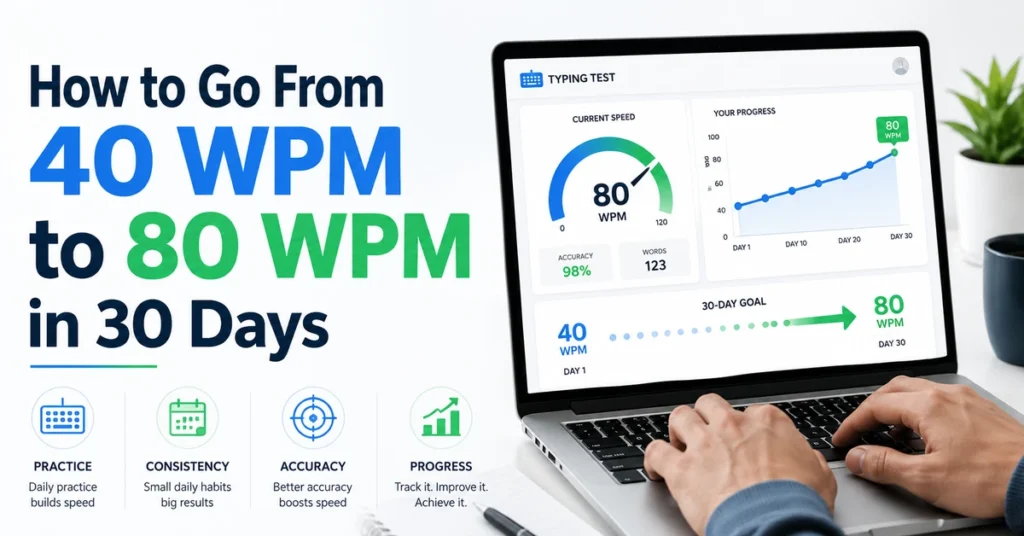
For a more intensive target, read the 40 WPM to 80 WPM practice plan. Treat it as a structured challenge rather than a guaranteed result.
How to Break a Typing Speed Plateau
A typing speed plateau happens when your WPM remains unchanged despite regular practice.
It often means your current routine is repeating what you already know.
Check Your Accuracy
If accuracy remains below 95%, errors may be blocking your progress.
Reduce speed temporarily and clean up your technique.
Identify Your Slowest Keys
Your average speed may be limited by a few uncomfortable letters rather than the entire keyboard.
Train those keys separately.
Change the Test Material
A familiar word list may produce an inflated result.
Practice paragraphs, dialogue, numbers, and punctuation.
Use a Longer Test
A one-minute plateau may hide an endurance improvement.
Compare five-minute accuracy and consistency as well as peak WPM.
Relax Your Hands
Tension restricts movement.
Check whether you are pressing keys too hard, lifting your fingers too high, or holding your shoulders up.
Take a Short Break
Repeatedly testing while tired can reinforce poor movements.
Rest and return with a focused goal rather than continuing endless attempts.
Useful Typing Tools and Platforms
eTypingTest
Use eTypingTest to measure WPM, accuracy, errors, consistency, and keyboard activity across several durations.
It is useful for establishing a baseline and tracking changes under the same conditions.
Typing.com
Typing.com provides structured lessons, accuracy exercises, typing tests, and practice for problem keys. Its tests include one-, three-, and five-minute formats.
A Spreadsheet or Notebook
A simple spreadsheet can be more valuable than switching between many platforms.
Create columns for:
- Date
- Test duration
- Gross WPM
- Net WPM
- Accuracy
- Errors
- Weak keys
- Practice notes
Your goal is to see a trend, not collect disconnected high scores.
Common Mistakes That Stop You From Typing Faster
Chasing Speed Before Accuracy
Rushing teaches your fingers to repeat incorrect movements.
Build control first.
Looking at the Keyboard After Every Error
This breaks concentration and prevents your fingers from learning key positions.
Use the F and J bumps to reset your hands.
Taking Only Easy Tests
Simple lowercase words do not represent emails, reports, assignments, coding, or office work.
Include realistic content.
Repeating One Memorized Passage
Your score improves because you know what comes next, not necessarily because your general typing skill improved.
Use unfamiliar material.
Restarting Every Bad Test
Finishing difficult tests builds recovery skills and endurance.
A mistake does not make the entire attempt useless.
Practicing Too Long
Fatigue can reduce accuracy and create tension.
Focused daily sessions are usually easier to sustain than occasional typing marathons.
Changing Keyboard Layouts Too Soon
Alternative layouts can be useful for some people, but changing from QWERTY is not an instant speed shortcut.
Technique and consistent practice normally deserve attention first.
Comparing Yourself With Online Records
A person sharing a 150 WPM result may be using a short test, familiar words, no punctuation, or a different scoring system.
Compare your current performance with your own previous average.
How Long Does It Take to Improve Typing Speed?
Some learners notice better control within a few practice sessions. A major technique change can take longer because your speed may initially fall while you replace old habits.
The timeline depends on:
- Current WPM
- Current accuracy
- Whether you look at the keyboard
- Practice frequency
- Test difficulty
- Keyboard type
- Language familiarity
- Target speed
A beginner moving from two-finger typing to a consistent system may need more time than an accurate 55 WPM typist trying to reach 60 WPM.
Track progress over several weeks instead of expecting improvement after every session.
Frequently Asked Questions
How can I increase my typing speed quickly?
Begin by measuring your baseline, reducing errors, and correcting unnecessary hand movement. Short daily practice focused on weak keys normally helps more than repeatedly chasing a high score.
What is the best way to improve typing speed?
Use consistent finger placement, type without looking at the keyboard, maintain high accuracy, practice realistic content, and track your average WPM over time.
Can I improve typing speed in seven days?
You may improve accuracy, finger control, and familiarity within seven days. A large WPM increase is not guaranteed and depends on your starting technique and practice habits.
Is 40 WPM a good typing speed?
Around 40 WPM is commonly considered an average everyday typing speed. A result above 60 WPM is generally considered fast when accuracy remains strong.
Should I practice speed or accuracy first?
Practice accuracy first. Once you can type with approximately 95–98% accuracy, gradually increase your pace.
Do I need to use all ten fingers?
Not necessarily. Research has found fast self-taught typists using different finger strategies. Consistency, stable hand positioning, limited unnecessary movement, and reduced keyboard glancing are especially important.
How many minutes should I practice typing daily?
Ten to fifteen focused minutes is a practical starting routine. Stop before fatigue causes your technique and accuracy to collapse.
Why is my typing speed not improving?
Common reasons include low accuracy, looking at the keyboard, repeating easy material, ignoring weak keys, poor posture, inconsistent practice, and relying only on short tests.
Does keyboard type affect typing speed?
Yes. Key spacing, travel, resistance, layout, and familiarity can influence comfort and performance. Use the same keyboard when comparing progress whenever possible.
How do I type faster without making mistakes?
Reduce your speed slightly, concentrate on rhythm and accurate key presses, and increase pace only after the cleaner technique becomes comfortable.
Final Thoughts
Learning how to increase typing speed does not require frantic fingers.
The real goal is to remove hesitation.
Your eyes remain on the screen. Your hands stay relaxed. Familiar words become smooth movement patterns. Difficult keys stop interrupting your rhythm. Errors become less frequent, so less time is lost correcting them.
Begin with an honest baseline. Practice accuracy, weak keys, punctuation, and natural text. Test yourself at different durations and compare weekly averages rather than chasing one impressive result.
A controlled 55 WPM at 98% accuracy is more useful than an occasional 70 WPM score filled with corrections.
External Resources and References
The technique and ergonomics recommendations in this guide were checked against the University of Wollongong’s touch-typing resource, OSHA’s keyboard workstation guidance, and Aalto University’s research summary on typing strategies. Typing.com’s lessons and testing resources were also reviewed for structured practice options. Individual improvement varies, so these methods should be treated as practical guidance rather than guaranteed WPM results.