What Is CPM in Typing? Full Guide, Formula & Free Calculator
If you’ve taken a typing test and seen a number labeled “CPM” next to your WPM score, you might be wondering what it actually measures — and why a typing test bothers to report both. CPM in typing stands for characters per minute, and it’s one of the two core numbers used to describe how fast someone types.
This guide explains what CPM means, how it’s calculated, how it relates to WPM, when it matters more than a words-per-minute score, and how to read your own CPM result in context.
What Does CPM Mean in Typing?
CPM stands for characters per minute — the total number of characters (letters, numbers, punctuation, and spaces) a person types in one minute.
Unlike WPM, which groups typed text into standardized five-character “words,” CPM counts every individual keystroke that produces a character. This makes it a more granular measurement, especially useful for:
- Typing in languages without clear word boundaries (such as Chinese, Japanese, or Korean)
- Data entry roles that involve numbers, codes, and symbols rather than natural sentences
- Measuring raw keystroke output independent of vocabulary or sentence structure
- Comparing performance across very short bursts of typing, where a whole-word count can be too coarse to be useful
Because it counts every keystroke individually rather than in five-character blocks, CPM is often described as the more “granular” or “raw” of the two standard typing metrics.
Where CPM Comes From
The five-character “word” convention that links CPM and WPM dates back to early typing certification and stenography testing, when a standardized unit was needed to compare typists regardless of the specific vocabulary in a test passage. Rather than counting real words — which vary wildly in length — testing bodies settled on five characters (including spaces) as one “standard word.” CPM is simply the character count that sits underneath that convention, made visible.
This is why CPM is sometimes considered the more fundamental of the two metrics: WPM is really just CPM divided into standardized units, not a separate measurement built from scratch.
CPM Formula: How to Calculate Characters Per Minute
The CPM formula is straightforward:
CPM = Total Characters Typed ÷ Time in MinutesFor example, if you type 750 characters in 3 minutes:
750 ÷ 3 = 250 CPMSome typing tools calculate gross CPM (every character typed, including mistakes) separately from net CPM (only correct characters). Net CPM gives a more honest picture of usable output, the same way net WPM does for word-based scoring.
Worked example: Suppose you type 900 characters in 3 minutes, but 45 of those characters were incorrect.
Gross CPM = 900 ÷ 3 = 300 CPM
Net CPM = (900 − 45) ÷ 3 = 285 CPM
The gap between your gross and net CPM is a useful signal on its own — a large gap usually means accuracy, not raw speed, is the thing worth practicing.
CPM vs WPM: What’s the Difference?
CPM vs WPM is really a question of measurement granularity — both describe typing speed, just at different resolutions.
| Metric | What it counts | Typical use case |
|---|---|---|
| WPM | Characters ÷ 5, per minute | General typing speed, job requirements, everyday benchmarking |
| CPM | Every character, per minute | Data entry, non-space-separated languages, precise keystroke analysis |
Because a standard “word” is defined as five characters, the two metrics are directly related:
CPM = WPM × 5
WPM = CPM ÷ 5
So a typist averaging 60 WPM is also typing at roughly 300 CPM. Neither number is more “correct” — they’re the same underlying speed, expressed two different ways. Our WPM Calculator and CPM results both appear automatically after every test, so you don’t need to convert manually.
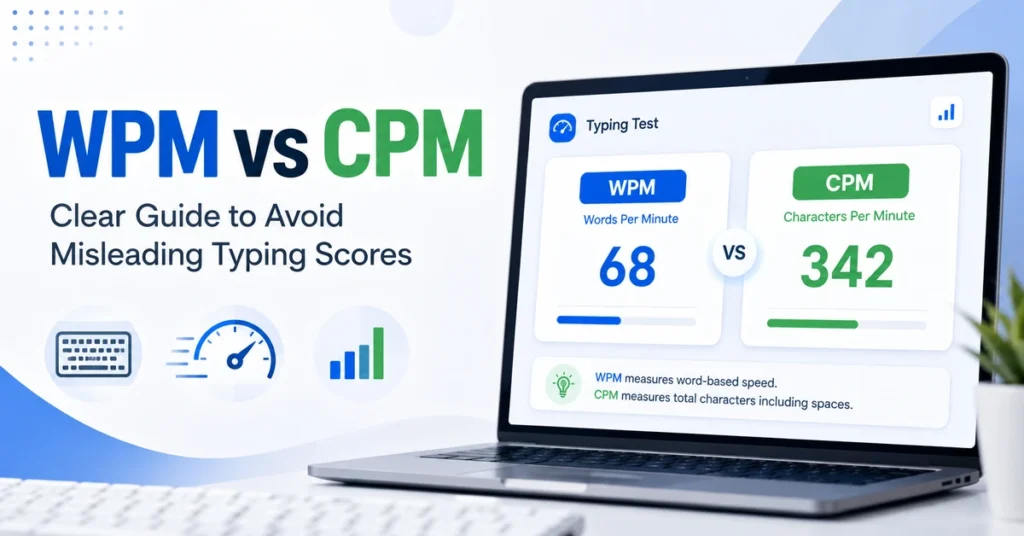
For a broader comparison of how these two metrics can sometimes tell slightly different stories about the same test, see our guide on WPM vs CPM: Clear Guide to Avoid Misleading Typing Scores.
Why Some Typists Should Pay More Attention to CPM
WPM works well for everyday English typing, but it can be misleading in a few situations:
Data entry and numeric work. Typing strings of digits, product codes, or invoice numbers doesn’t follow normal word patterns, so a CPM score reflects actual output more accurately than a WPM figure built around five-letter word averages. A field full of ten-digit account numbers, for instance, will produce a very different WPM “feel” than natural sentences of the same character count.
Non-alphabetic languages. Languages like Chinese, Japanese, Korean, and Thai don’t use spaces between words the way English does, so WPM doesn’t translate well. CPM is the standard speed metric in these contexts, and most international typing platforms default to it for non-Latin scripts.
Short, symbol-heavy text. Programmers typing code full of brackets, semicolons, and underscores often see their WPM understate their actual keystroke speed, since code doesn’t read like natural language. Our Programming category test reports CPM alongside WPM for exactly this reason — a developer typing dense syntax may look “slow” by WPM standards while actually producing a high, consistent CPM.
Transcription and stenography-adjacent work. Roles that involve continuous, high-volume text entry over long sessions often track CPM because it responds more sensitively to small speed changes than a word-based metric, which can mask minor fluctuations inside its five-character rounding.
What Is a Good CPM Score?
Using the CPM = WPM × 5 relationship, here’s roughly how common WPM benchmarks translate to CPM:
| WPM | Approximate CPM | Skill level |
|---|---|---|
| 20 | 100 | Beginner |
| 40 | 200 | Average adult |
| 60 | 300 | Fast / professional |
| 80 | 400 | Very fast / specialist |
| 100+ | 500+ | Expert / transcription level |
These are general guidelines rather than fixed rules — actual requirements vary by employer, industry, and role. For a full breakdown of what’s expected in specific jobs, see our guide on typing speed requirements by career.
Factors That Affect Your CPM Score
Your CPM result isn’t purely a function of raw finger speed — several other variables influence it, often more than people expect:
Text difficulty. A passage full of common English words will produce a higher CPM than one full of numbers, symbols, or unfamiliar terminology, even at the same underlying skill level.
Test duration. Short bursts (15–30 seconds) tend to inflate CPM slightly, since fatigue and concentration lapses haven’t had time to show up yet. Longer tests, like our 5-minute or 10-minute formats, give a more representative CPM.
Keyboard familiarity. Switching between a laptop keyboard and a desktop mechanical keyboard, or between different layouts, can noticeably change your CPM until you adjust.
Error correction habits. Frequent backspacing to fix mistakes reduces effective CPM even if your raw keystroke speed is high, since time spent correcting doesn’t contribute to forward progress.
How to Improve Your CPM Score
Because CPM and WPM share the same underlying mechanics, most of the same techniques that raise WPM also raise CPM:
- Practice touch typing so you’re not visually searching for keys between characters — see our step-by-step touch typing guide.
- Reduce corrections by slowing down slightly until your accuracy stabilizes, rather than typing fast and fixing errors afterward.
- Practice with realistic, symbol-heavy text if your target use case (data entry, coding, invoicing) involves numbers and punctuation rather than plain prose.
- Track your CPM over multiple sessions rather than chasing a single best result, since consistency is a better predictor of real-world output than a one-off peak score.
How to Check Your CPM Score
You don’t need to calculate CPM by hand. Take a typing test on our CPM Calculator page, and your gross CPM, net CPM, WPM, and accuracy percentage are all calculated automatically the moment you finish typing. You can also generate a free typing certificate showing your results once the test ends.
Frequently Asked Questions
What is a good CPM typing speed? Around 200 CPM (equivalent to 40 WPM) is considered average for everyday typing. 300 CPM (60 WPM) and above is generally considered fast.
Is CPM more accurate than WPM? Neither is more “accurate” — they measure the same speed at different levels of detail. CPM is more precise for numeric or symbol-heavy typing, while WPM is easier to compare across everyday English typing tasks.
How do I convert WPM to CPM? Multiply your WPM score by 5. For example, 45 WPM equals approximately 225 CPM.
Does CPM count spaces and punctuation? Yes. CPM typically counts every character typed, including spaces, punctuation, and numbers, not just letters.
Why do some typing jobs list CPM instead of WPM? Data entry and transcription roles often deal with numbers, codes, and non-standard text where CPM gives a clearer picture of actual keystroke output than a word-based average.
Does my CPM change between languages? Yes, significantly. Because CPM counts raw characters rather than space-separated words, it’s the standard metric for languages like Chinese, Japanese, and Korean, where WPM doesn’t apply in the same way.
Why is my CPM lower on a longer test? Longer tests reveal fatigue and concentration drops that short bursts don’t have time to show. A lower CPM on a 5- or 10-minute test compared to a 15-second test is normal and often more representative of your real sustained speed.
Related Reading
- WPM vs CPM: Clear Guide to Avoid Misleading Typing Scores
- How Is Typing Speed Calculated? Proven WPM Formula, No Confusion
- Typing Speed Requirements by Career