
- Typing Certificate
Free Typing Certificate
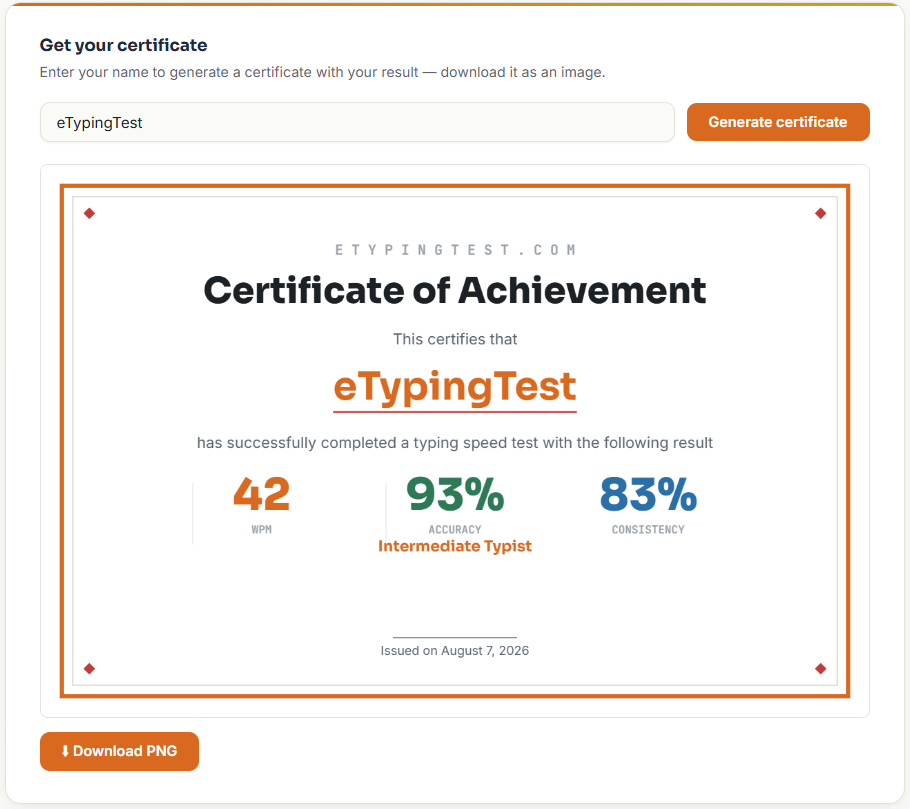
How to Get Your Certificate
- Take any typing test on the site — general, quotes, numbers, coding, or any job-specific test
- Finish the test — your results screen will show a “Get your certificate” section
- Enter your name exactly as you want it to appear
- Download the PNG — it’s generated instantly in your browser and saved straight to your device
What's Included on the Certificate
- Your name
- Words per minute (WPM)
- Accuracy percentage
- Consistency score
- Your skill tier (Beginner through Expert, based on your result)
- The date
Is This Certificate Official?
Who Uses This Certificate
- Job seekers — attaching a quick proof of typing speed alongside a resume or application
- Students — completing a typing course assignment or tracking classroom progress
- Freelancers and remote workers — showing clients or platforms a baseline typing speed
- Anyone practicing regularly — a simple way to mark progress over weeks or months
Tips for a Strong Certificate
- Prioritize accuracy over speed — a clean 95%+ accuracy result looks more credible than a fast but error-filled one
- Warm up first — take a practice run before the one you plan to keep, since first attempts are rarely your best
- Pick the test that matches your goal — a 1-minute general test is the most widely recognized format; a job-specific test (like Data Entry or Medical) is more relevant if you’re applying for that specific role
- Retake it whenever your speed improves — there’s no limit, so update your certificate as your typing gets faster
Related Typing Tests
1 Minute Typing Test
The most widely recognized format for a certificate.
5 Minute Typing Test
A longer, more reliable result for job applications.
Data Entry Test
Role-specific certificate for data entry applications.
Average Typing Speed
See how your certificate result compares to typical benchmarks.
Frequently Asked Questions
Is this certificate free?
Can I use this certificate for a job application?
Yes, as informal proof of your typing speed alongside your resume or application. It’s not a substitute for a proctored assessment if a specific employer requires one, but many employers are fine with a good-faith, self-reported speed test.
Does the certificate expire?
No — it’s a static image you download and keep. You can generate a new one anytime your speed improves.
Can I generate a certificate from any test on the site, or just one specific one?
Any test — general, quotes, numbers, coding, or job-specific — all generate a certificate the same way once you finish.
What file format does it download as?
A PNG image, ready to attach to an email, upload to a job application, or print.
